Authentication
Every request is authenticated by your API key, sent in the X-Api-Key header.
curl https://carchost.fieldcontrol.com.br/customers \
  -H "X-Api-Key: SUA_CHAVE" \
  -H "User-Agent: MinhaIntegracao/1.0"
How to create the key
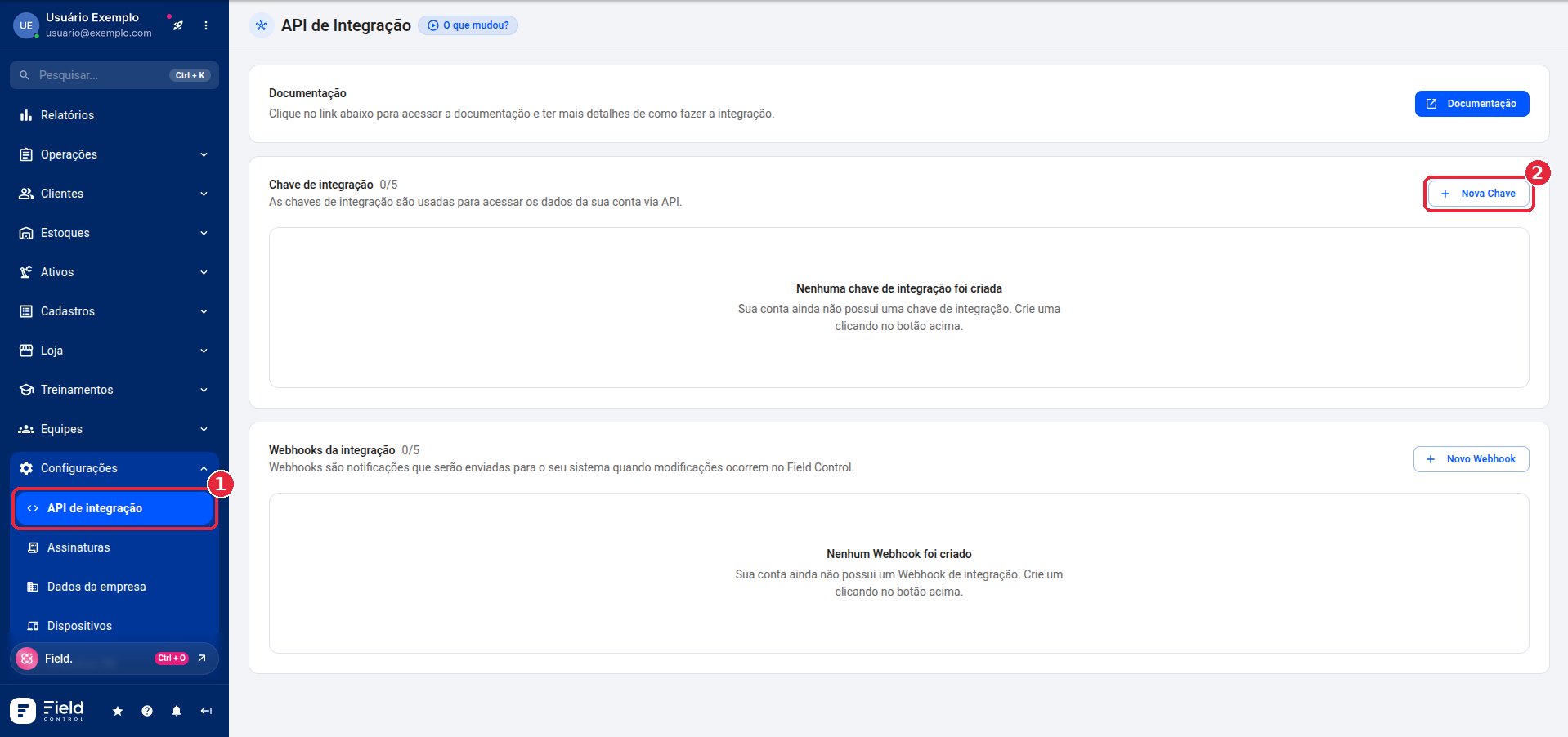
Users with the administrator profile create and manage keys in the Manager Panel, under Configurações > API de integração (Settings > Integration API).
-
In the menu, open Configurações > API de integração and, in the Chave de integração (integration key) section, click Nova Chave (New key).
-
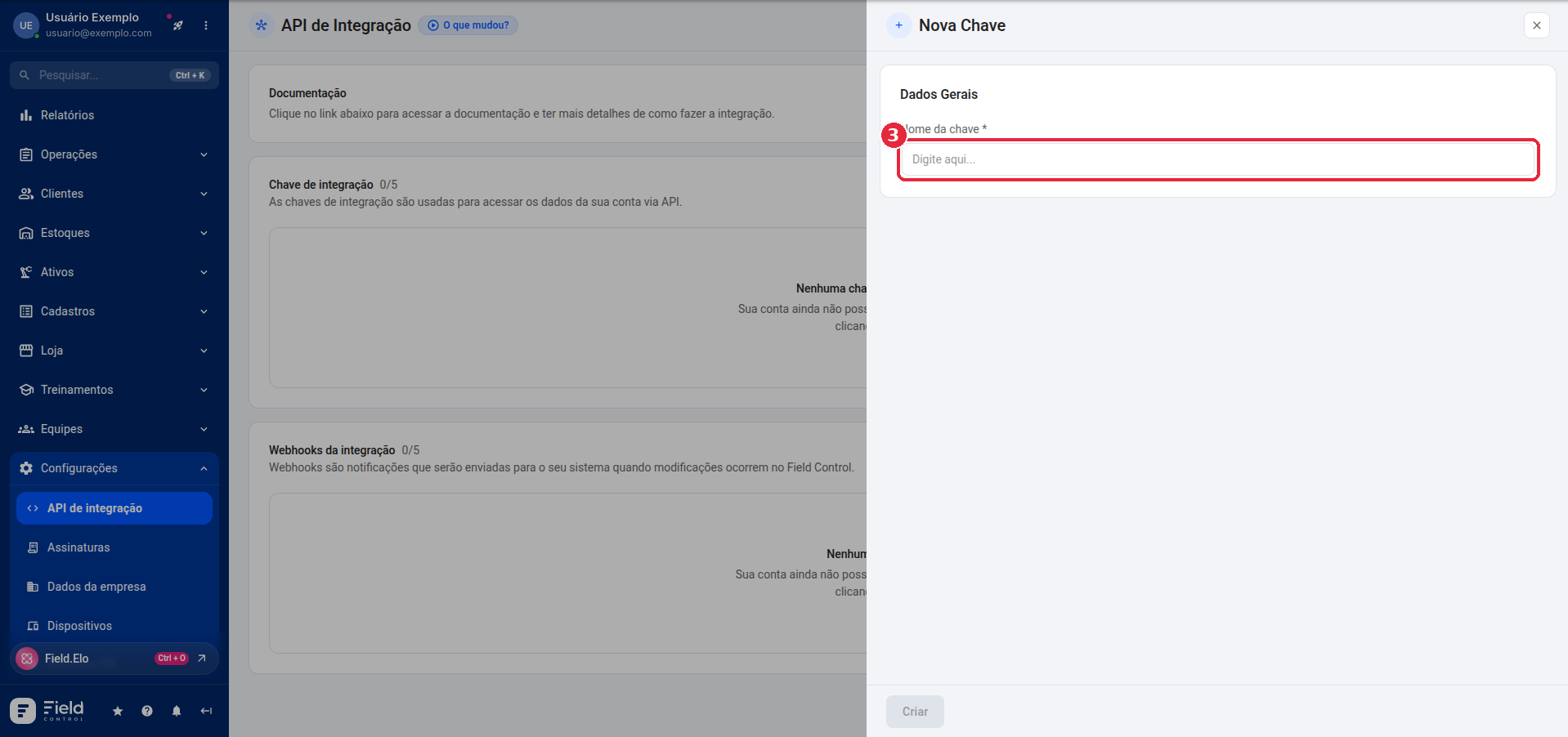
Give the key a name.
-
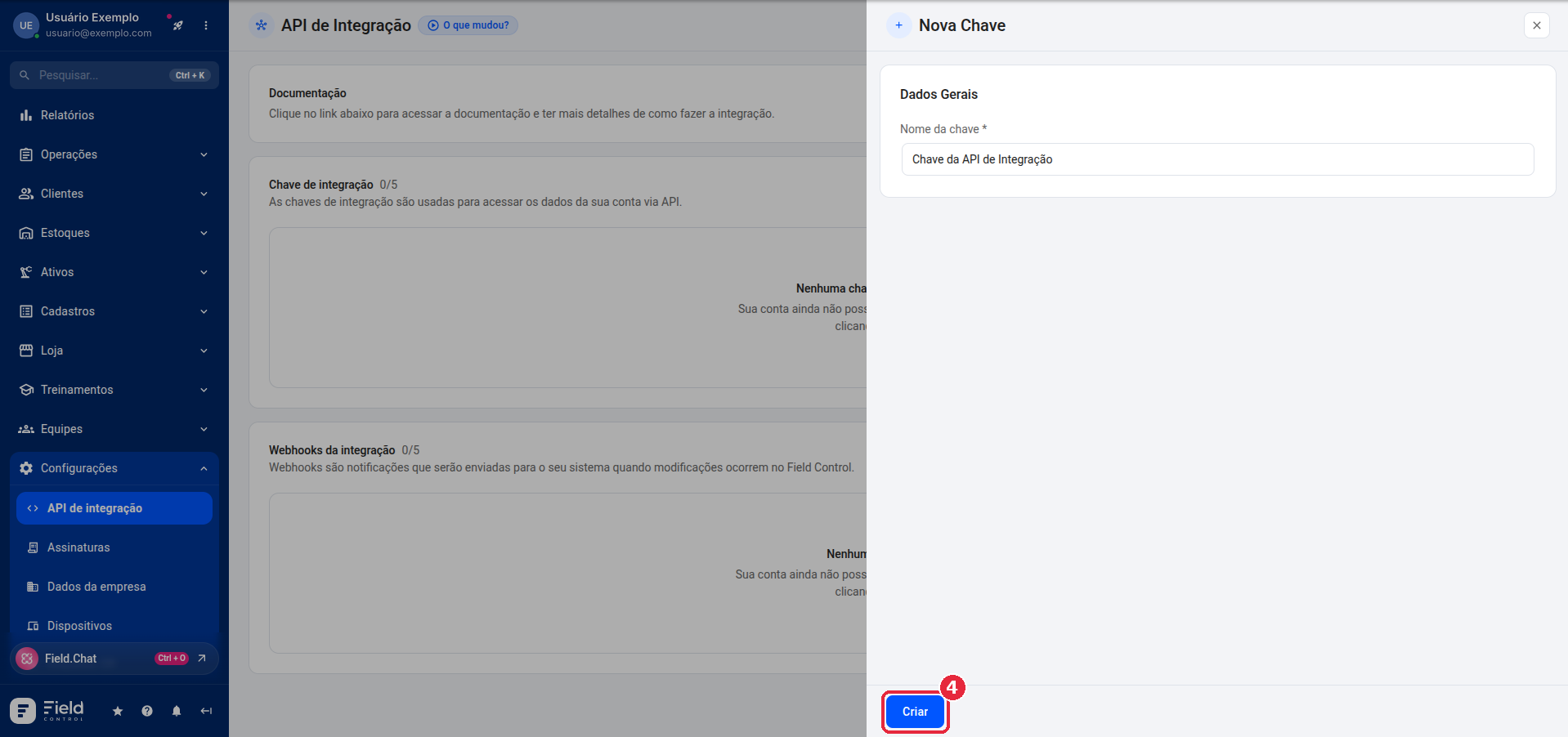
Click Criar (Create).
-
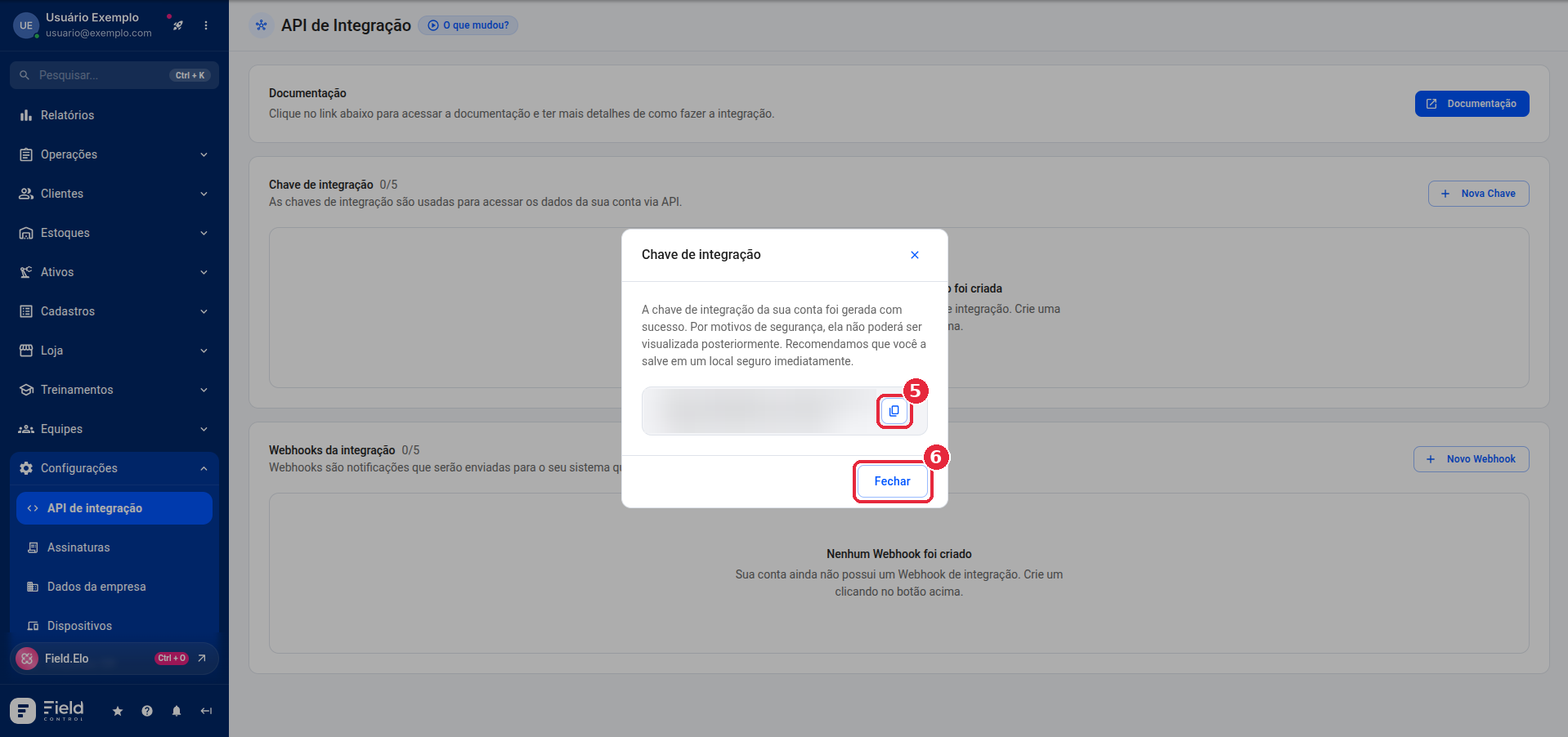
Copy the key and store it in a safe place before clicking Fechar (Close): for security reasons, it cannot be viewed again later.
Keep the key secret
Do not share the key and do not expose it in code that runs in the browser (client-side).
Authentication errors
| Status | Message | When it happens |
|---|---|---|
| 401 | Missing API Key | The X-Api-Key header was not sent. |
| 401 | Invalid API Key | The key does not exist or was removed. |
| 403 | Account blocked | The account is blocked. |
| 403 | Account expired | The account has expired. |
| 403 | Account plan not allowed | The account plan does not allow integration. |
The body of these responses is { "message": "<message>" }. See the error catalog.