Webhooks
Webhooks notify your system, in real time, when something happens in the operation: an order created, a task completed, a form answered. Instead of querying the API from time to time, you receive a POST request at the URL you register.
Events
| Event | When it is sent |
|---|---|
order-created | Work order created |
order-updated | Work order updated |
order-form-created | Form created in the order |
order-form-updated | Order form updated |
order-attachment-created | Attachment created |
order-attachment-updated | Attachment updated |
order-attachment-deleted | Attachment deleted |
task-created | Task created |
task-updated | Task updated |
task-start-route | Employee started traveling to the task |
task-route-started | Task route started |
task-started | Task started by the employee |
task-completed | Task completed |
task-reported | Impediment reported on the task |
task-rated | Task rated by the customer |
comment-created | Comment created |
employee-created | Employee created |
ticket-created | Service request created |
ticket-accepted | Service request accepted |
ticket-canceled | Service request canceled |
ticket-closed | Service request closed |
ticket-expired | Service request expired |
ticket-refused | Service request refused |
quotation-created | Quotation created |
quotation-updated | Quotation updated |
quotation-approved | Quotation approved |
quotation-canceled | Quotation canceled |
quotation-refused | Quotation declined |
vehicle-created | Vehicle created |
vehicle-updated | Vehicle updated |
The request body is the event's resource, in the same format as the API: task-created brings a task, comment-created a comment, and so on.
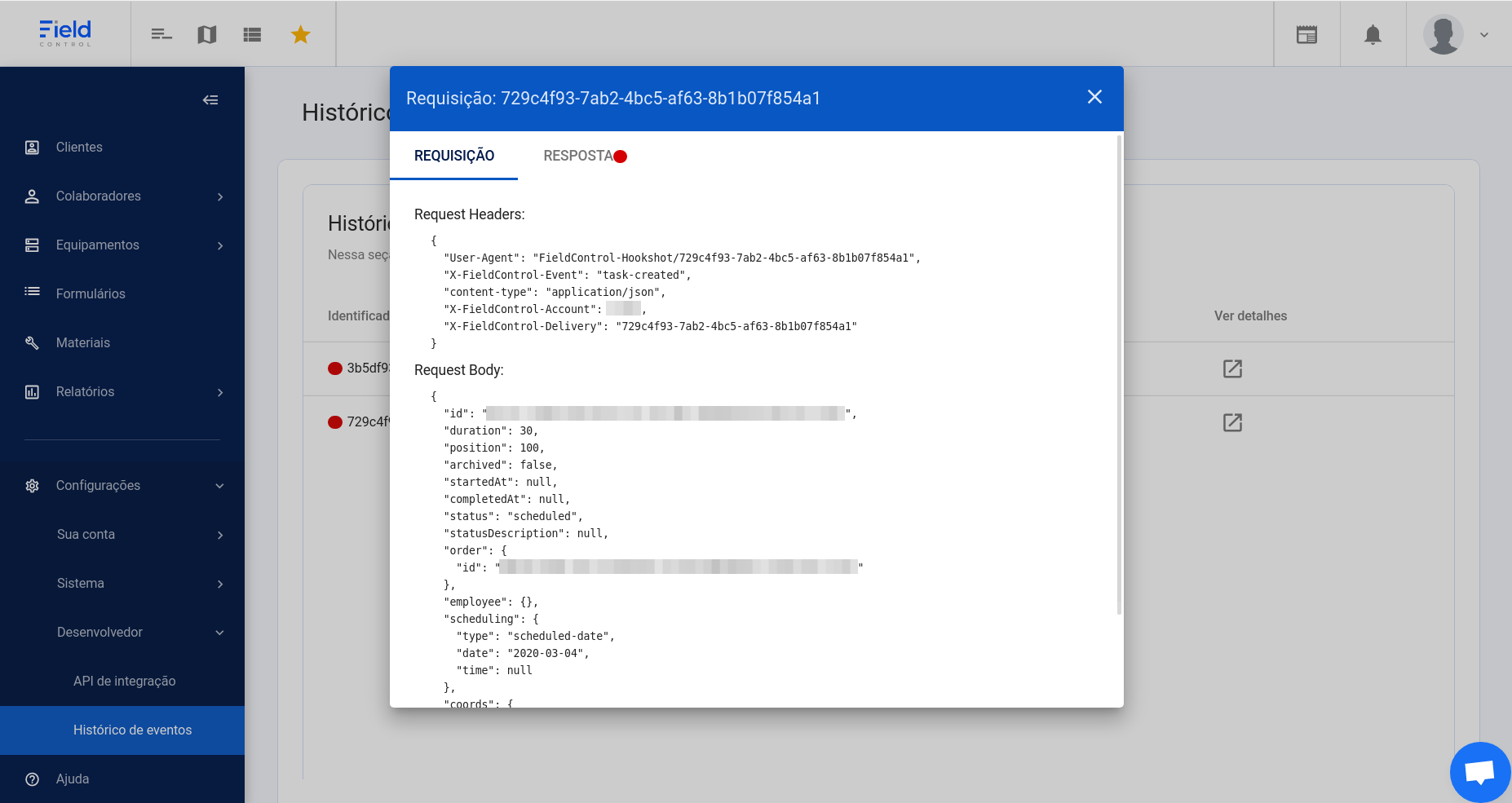
Headers sent
| Header | Content |
|---|---|
X-FieldControl-Event | Event name |
X-FieldControl-Delivery | Unique identifier of the delivery |
X-FieldControl-Account | Account identifier |
User-Agent | FieldControl-Hookshot/<delivery identifier> |
Content-Type | Always application/json |
If the URL was registered with authentication, the delivery uses HTTP Basic authentication with the given username and password.
How to handle an event
- Check
X-FieldControl-Deliveryto see whether the delivery was already processed, so you do not process the same event twice. - Read the event in
X-FieldControl-Event. - Update your system with the body received.
- Respond quickly: Field Control waits up to 15 seconds for the response. Do the heavy processing after responding.
Register the URL
-
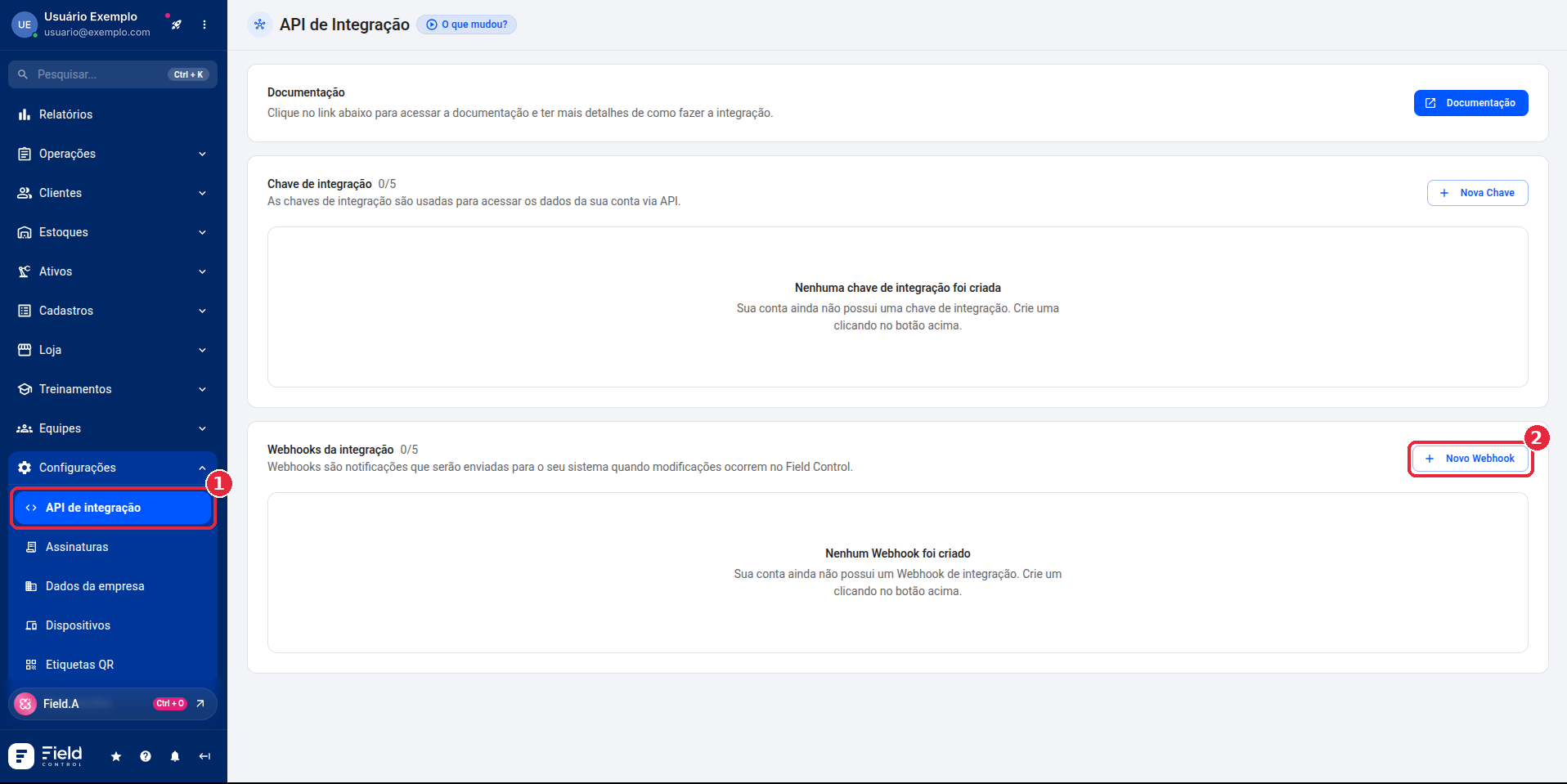
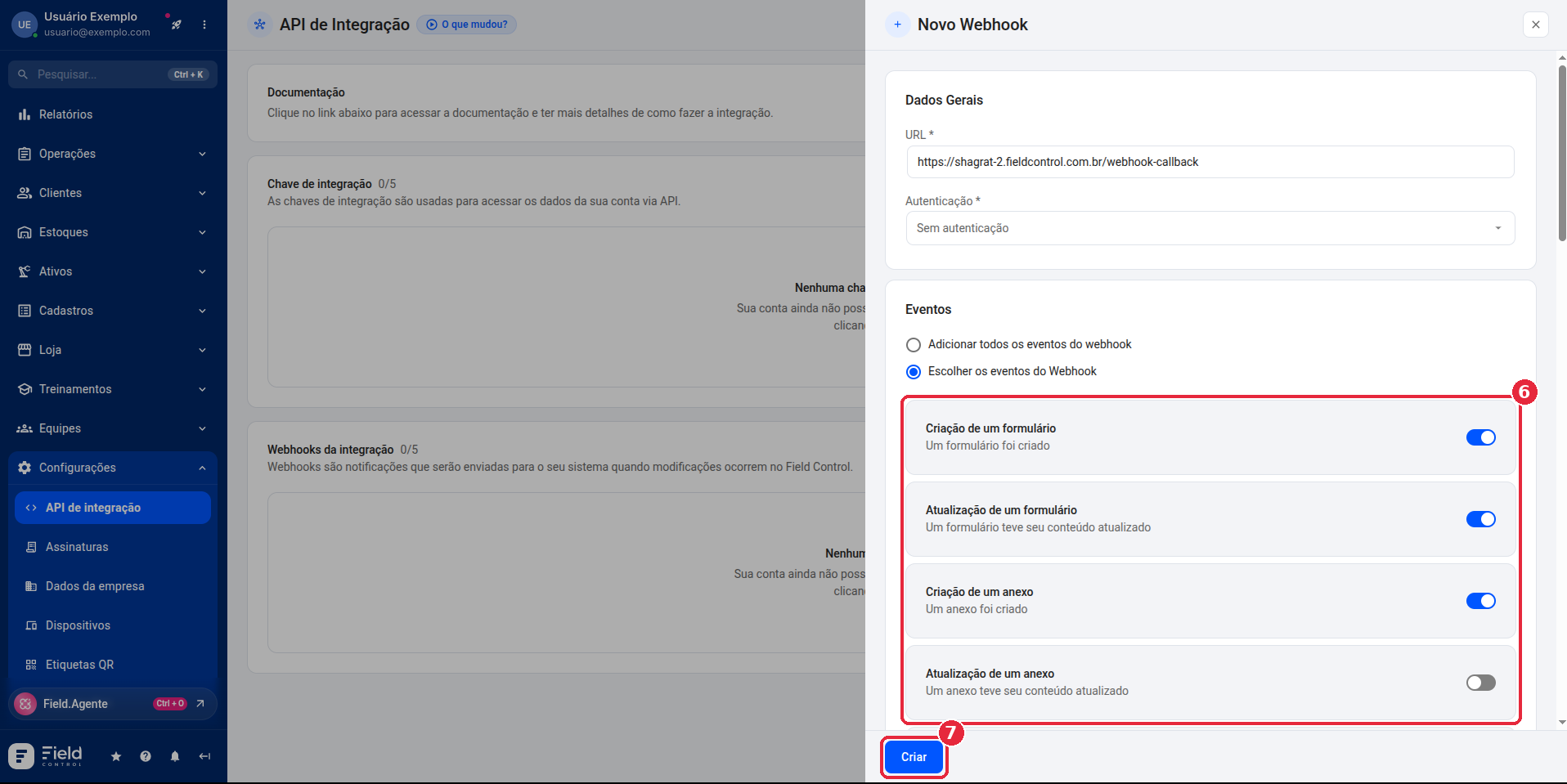
In the Manager Panel, open Configurações > API de integração (Settings > Integration API) and, in the Webhooks da integração (integration webhooks) section, click Novo Webhook (New webhook).
-
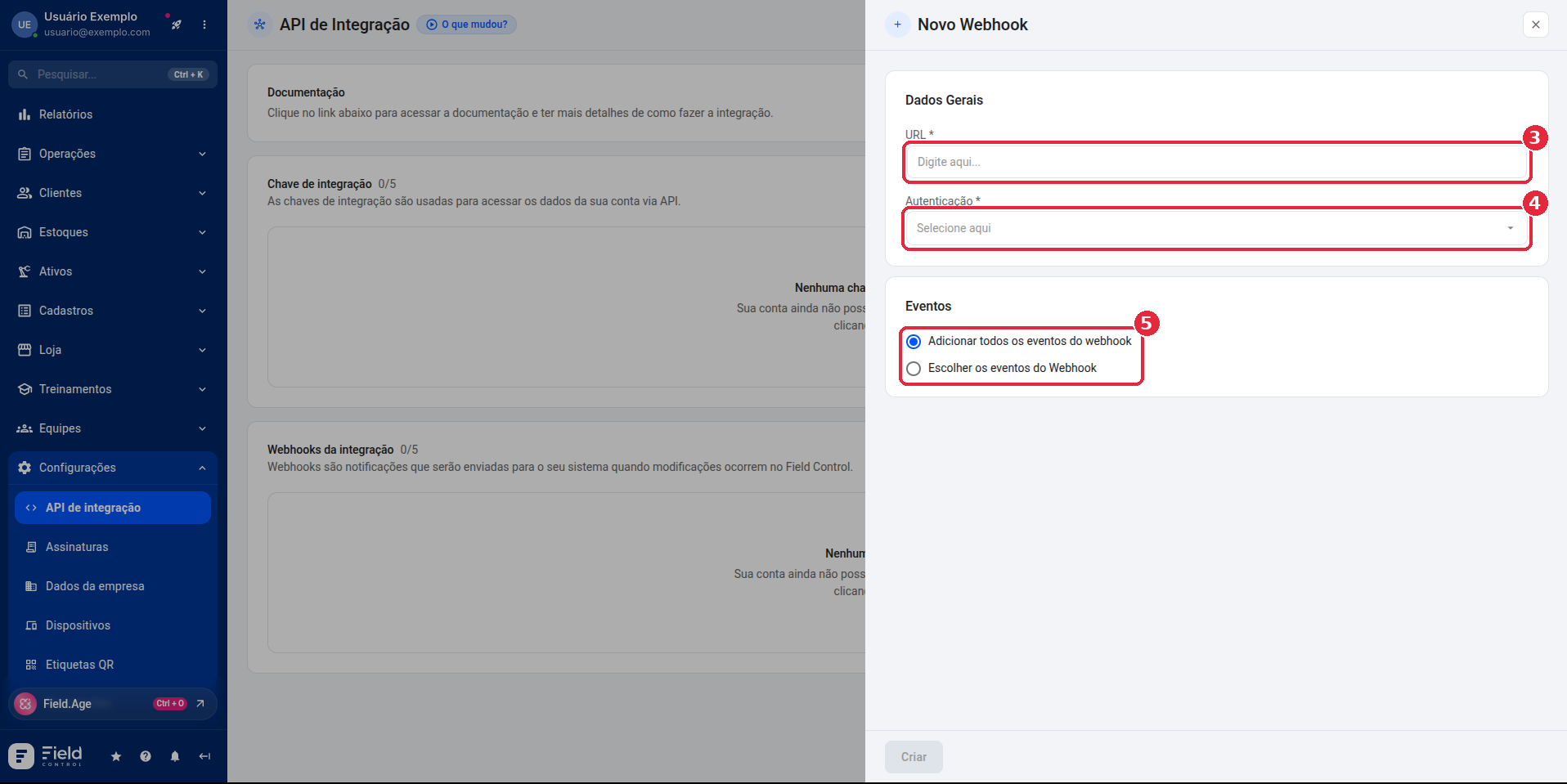
Enter the URL and the authentication (no authentication or with username and password) and choose whether to receive all events or only some of them.
-
If you chose the events, turn on the ones you want to receive. Then click Criar (Create).
Event history
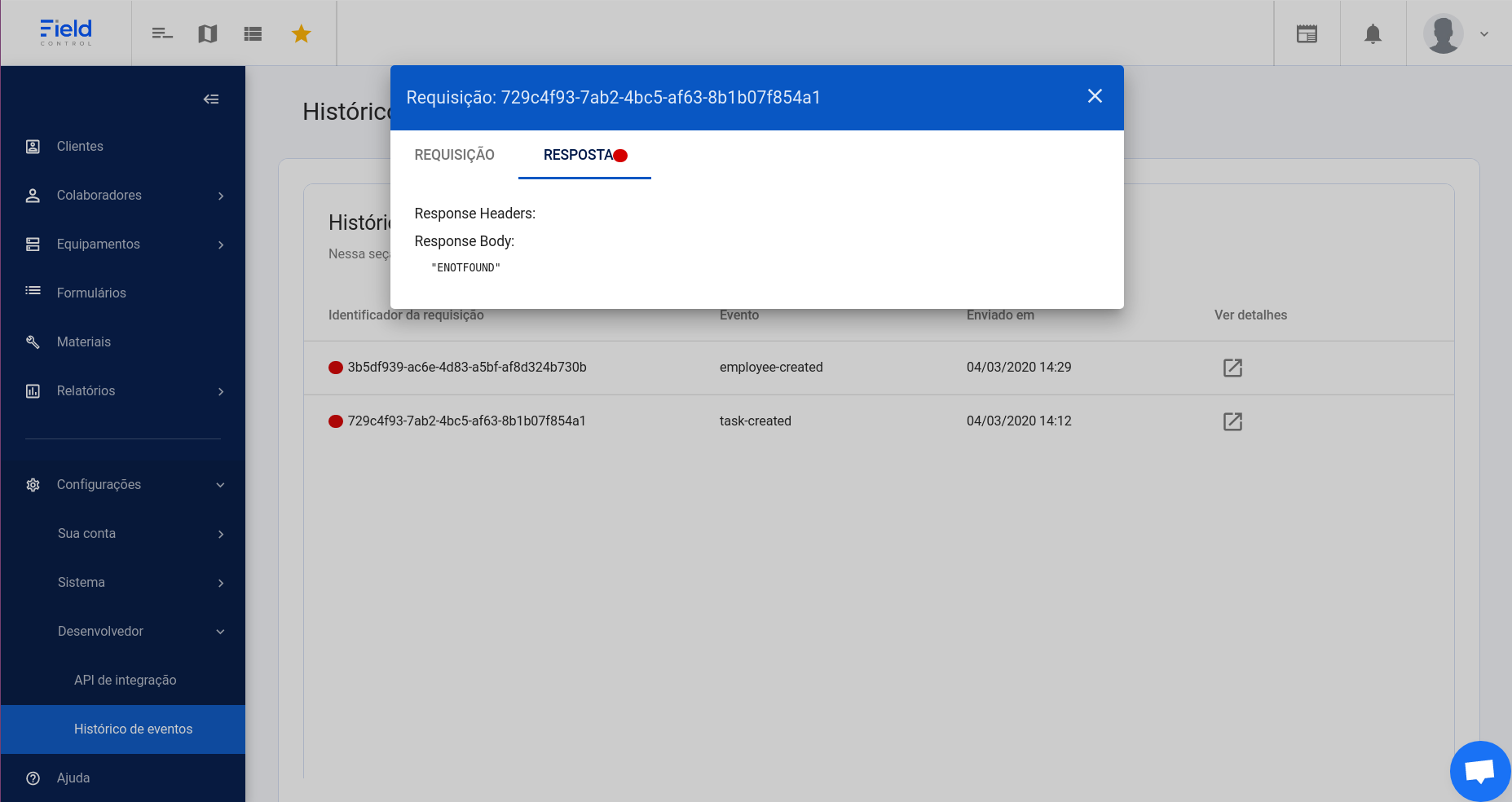
The Manager Panel's integration event history lists each delivery made to your URL, with the identifier, the event and the date and time.
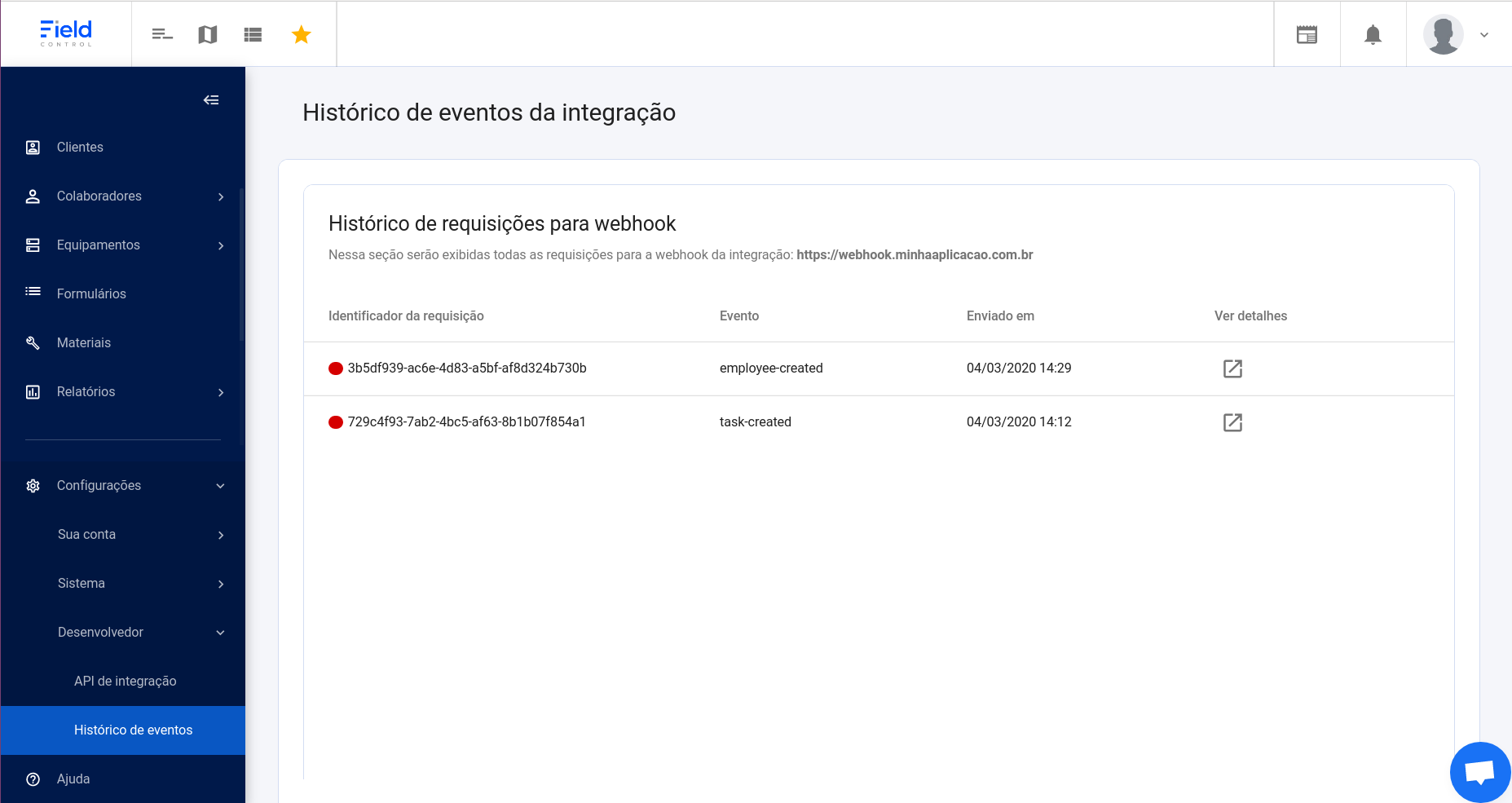
Under Ver detalhes (View details), the Requisição (Request) tab shows the headers and body sent, and the Resposta (Response) tab shows what your application responded.